WhatsApp Messaging Limits Explained: Will You Hit Yours on Sale Day?
Your WhatsApp Business number has a ceiling. It can only start conversations with a set number of people in any 24 hours. New accounts start at 250. Say your sale broadcast should reach 6,000 customers on 8 October. If your WhatsApp messaging limit is 2,000, two-thirds of them will not hear from you that day.
Most businesses find out about the limit the hard way: on the morning of their biggest send. This guide explains what the limit counts, the levels, how to move up, and how to plan a sale-week send around it. Amazon's Great Indian Festival opens on 8 October and Flipkart's Big Billion Days on 9 October, so there are a few days left to act.
Everything here is taken from Meta's own messaging-limits page for the WhatsApp Business Platform, checked on 4 October 2026.
What the WhatsApp messaging limit counts
Meta defines it as a cap on people, not messages. It is the most unique WhatsApp users your business can deliver to in a moving 24 hours. It only counts sends outside a customer service window.
Three words in that sentence matter:
- Unique. It counts people, not messages. Sending three templates to the same customer in a day uses one slot, not three.
- Outside a customer service window. When a customer messages you, a 24-hour window opens. Your replies inside that window are not what the limit is built around. The limit is about the people you reach first, usually with a template: broadcasts, offers, reminders.
- Moving 24 hours. It is not a calendar day. If you send to 2,000 people at 10 AM on Monday, those slots free up from 10 AM on Tuesday, not at midnight.
The WhatsApp daily messaging limit levels
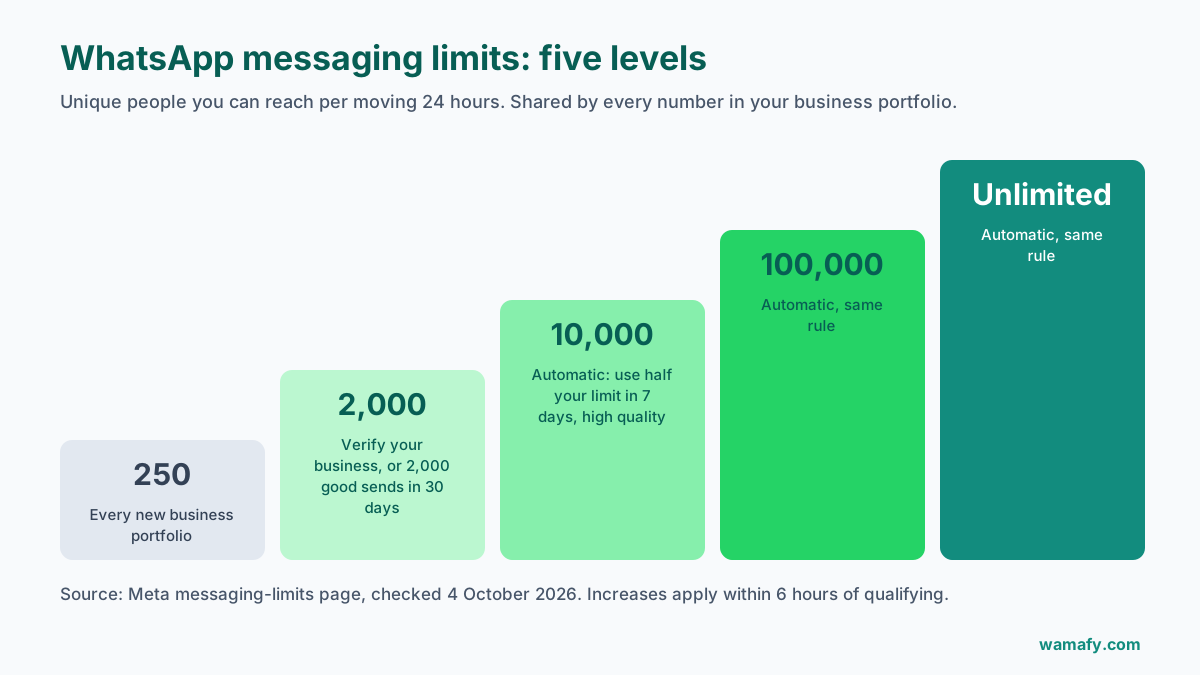
Meta's page lists five levels:
| Limit (unique people per 24 hours) | How you get there |
|---|---|
| 250 | Every new business portfolio |
| 2,000 | Business verification, or 2,000 good-quality sends in 30 days |
| 10,000 | Automatic scaling |
| 100,000 | Automatic scaling |
| Unlimited | Automatic scaling |
You may have read that Meta has removed the 2,000 and 10,000 levels and now moves verified businesses straight to 100,000. Several providers report this. Meta's own messaging-limits page still lists all five levels, as of 4 October 2026. Plan on the levels Meta lists, and treat anything faster as a bonus.
The limit is shared across your business portfolio
This catches out businesses with more than one number. The limit is set for your whole business portfolio in Meta, and every number in that portfolio shares it.
Say your portfolio has a limit of 2,000. Your sales number sends a broadcast to 1,800 people in the morning. Your support number now has only 200 slots left until the next day. One busy number can use the whole allowance.
So if you run several numbers, for different stores, cities or brands, plan their big sends together, not separately.
How to raise your WhatsApp API tier limit
Getting from 250 to 2,000
Meta's page gives three ways:
- Verify your business in Meta Business Manager.
- Have a partner verify it, where your provider offers this.
- Send 2,000 delivered messages outside customer service windows to unique people within 30 days, using templates with a high quality rating.
Business verification is the usual route. Meta asks for a document such as your GST certificate or company registration. The name and address must match what you entered. Start it today if you have not. It can take days, so it may not finish before 8 October.
From 2,000 upward: automatic scaling
After 2,000, Meta raises the limit on its own when two things are true:
- Your messages are high quality across all your numbers and templates.
- You have used at least half of your current limit in the last 7 days.
When both are met, Meta says the increase applies within 6 hours.
That second condition is the one most businesses miss. Take a store that sends to 300 people a week. It never uses half of 2,000, so it stays at 2,000. Then sale day comes and the limit is too low.
The quality rating sits behind every step
Every path up needs a high quality rating. Meta works this out from how people react to your messages, mostly blocks and reports.
A broadcast that annoys people does two kinds of harm. It costs you customers, and it can stop your limit from growing just when you need it to. Sending to people who never opted in, or sending the same offer every day, are the quickest ways to lose quality. The WhatsApp quality rating guide covers what moves the rating and how to recover it.
Sale-day maths: planning around a 2,000 limit
Take a clothing store with 6,000 opted-in contacts and a limit of 2,000. It wants to announce its sale for 8 October.
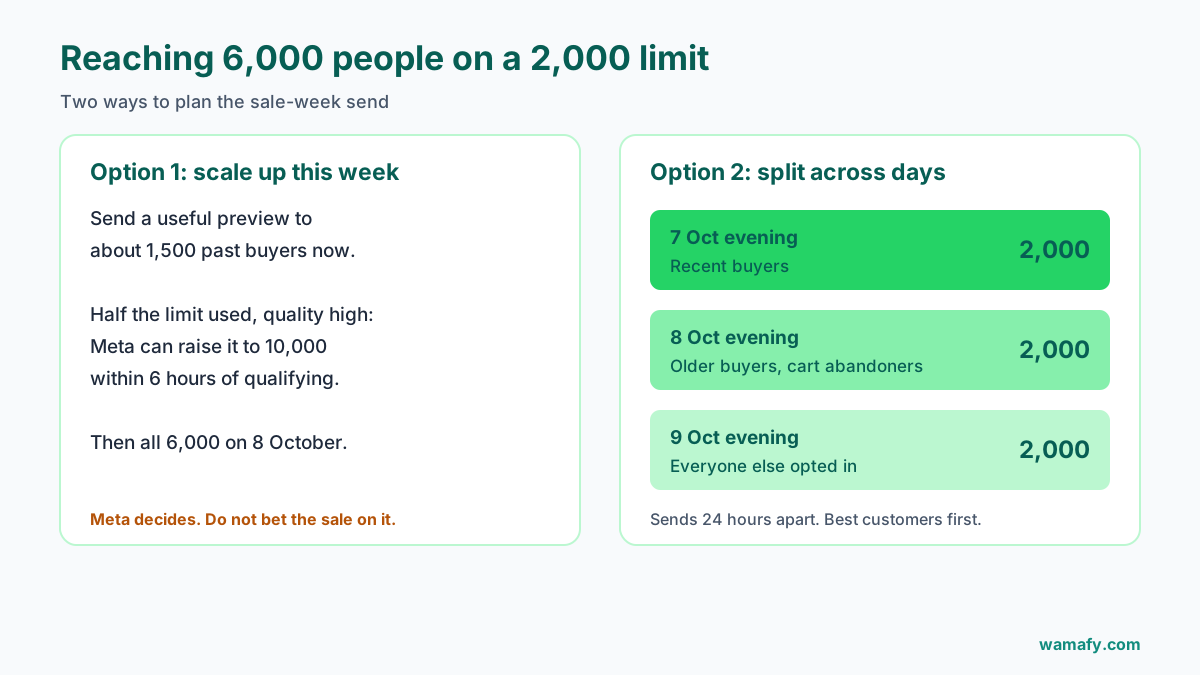
Option 1: use this week to scale up
Send a useful preview this week, such as an early look at the sale or a "your size is back in stock" note, to around 1,500 past buyers. That uses more than half of the 2,000 limit. If quality stays high, Meta can move the limit to 10,000 within hours of the criteria being met. Then the full 6,000 can go out on 8 October.
Two cautions. Meta decides, not you, so do not bet the sale on it. And the preview must be something people want, or the blocks will hurt the rating you need.
Option 2: split the send across days
If the limit stays at 2,000, split the list by value and spread it out:
| Day | Who | People |
|---|---|---|
| 7 October, evening | Past buyers in the last 6 months: "sale starts tomorrow" | 2,000 |
| 8 October, evening | Older buyers and recent cart abandoners | 2,000 |
| 9 October, evening | Everyone else who opted in | 2,000 |
Each send is at least 24 hours after the last, so the slots have freed up. Your best customers hear first, which is where most sale revenue comes from anyway. And using the full 2,000 on day one also counts towards the half-your-limit rule for scaling.
Wamafy's campaign builder lets you schedule each segment in advance and set a rate cap, so the three sends go out on their own. The guide to sending a WhatsApp broadcast to 1,000 contacts covers segmenting and pacing in more detail.
Five mistakes that keep your limit low
Most businesses stuck at 250 or 2,000 make one of these:
- Never finishing verification. The form was started, a document was rejected, and nobody went back. Check the status today.
- Sending too little. If you never use half your limit in a week, it never grows. Small, regular sends to people who want them keep it moving.
- Blasting old lists. A list bought years ago, or numbers from invoices with no opt-in, brings blocks. Blocks bring the quality rating down.
- The same offer every day. People get tired and tap block. Space your sends out.
- Too many numbers in one portfolio. A second number draws from the same pool as the first. It gives you no extra room.
None of these cost money to fix. They cost a little planning.
What happens when you hit the limit
The limit is a ceiling on how many people your business can deliver to in 24 hours. Anyone beyond it will not get your message that day. Meta's page does not list the exact error you will see, so check your platform's failed-message report after a big send.
What you should not do is resend the failed batch an hour later. The slots free up 24 hours after the first sends, not before.
Replies keep working. When customers write to you, you can answer them inside their 24-hour window. So a full limit does not shut down your support, only your outreach.
How to check your WhatsApp broadcast limit today
It takes two minutes:
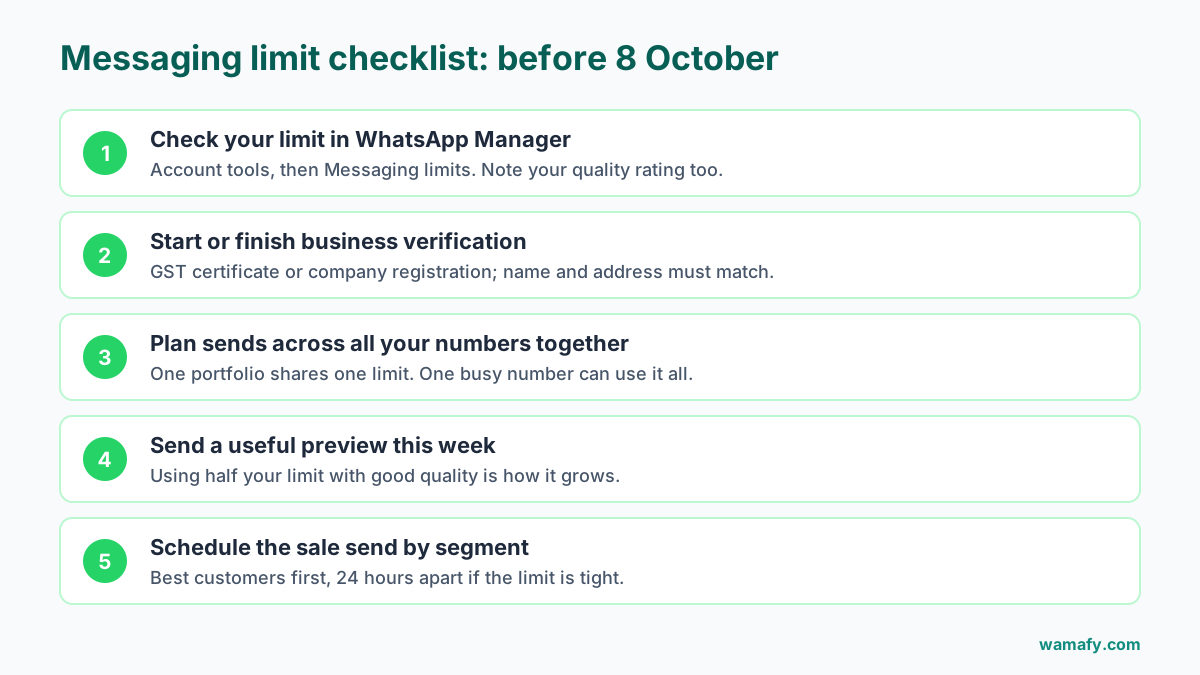
- Open WhatsApp Manager in Meta Business Suite.
- Go to Account tools, then Messaging limits.
- Note your current limit and your quality rating.
Developers can also read the whatsapp_business_manager_messaging_limit field from the phone number API.
Frequently Asked Questions
What is the WhatsApp messaging limit for a new business?
A new business portfolio starts at 250 unique people per 24 hours. Verifying your business, or sending 2,000 good-quality messages to unique people in 30 days, raises it to 2,000.
Do replies to customers count towards the limit?
The limit counts people you deliver to outside a customer service window. Replies inside an open 24-hour window are not what the limit is built around, so a full limit does not stop your support.
Is the limit per phone number?
No. Meta sets it for the whole business portfolio, and every number in the portfolio shares it. One busy number can use the entire allowance.
How fast does the limit go up?
Once you have used at least half your limit in the last 7 days with high quality, Meta says the increase applies within 6 hours. Meta decides when you qualify, so do not rely on it for a fixed date.
Can I pay to get a higher messaging limit?
No. You cannot buy a higher limit from Meta or from any platform. It rises with business verification, good quality and steady use.
Does sending more messages to the same person use more of the limit?
No. The limit counts unique people. Three messages to one customer in a day use one slot.
Check it today, not on sale morning
Open WhatsApp Manager, look at your limit, and start business verification if you have not. Then plan your sale send around the number you see, best customers first.
If you want scheduled, segmented broadcasts with Meta's message rates and no markup on top, start a 14-day free Wamafy trial. Your card is authorized when the trial starts and charged only on day 15.