How to Set Up WhatsApp on Shopify in 10 Minutes (2026 Guide)
You can get WhatsApp marketing for your Shopify India store live in about 10 minutes. Wamafy has a native Shopify integration. You connect your store through your own Shopify Custom App, right from your dashboard. Once it is linked, Shopify events fire your WhatsApp messages on their own. Order confirmations, shipping alerts, and abandoned cart recovery all run hands-free.
Here is the part that saves you time. The Custom App path skips the Shopify App Store. There is no App Store review and no waiting. The app stays scoped to your store and uses read-only access. You set it up once, paste two keys into Wamafy, and switch on the built-in flows. No third-party connector, no middle layer, no code. The native Shopify integration is a Wamafy Forest plan feature, so you need to be on the Forest plan. It then works with any Shopify plan you are on.
Why WhatsApp marketing for Shopify India is worth 10 minutes
WhatsApp open rates sit around 98 percent in India, far above email. For abandoned carts, that gap shows up in sales. Email wins back 5 to 8 percent of lost carts. WhatsApp wins back 10 to 25 percent. Say a store does 200 orders a month with 400 more carts left behind. That swing is real money every single month.
The cost side is friendly too. In India, a utility template like an order alert costs about Rs 0.115 per message. A marketing template, the kind you use for an abandoned cart push, costs Rs 0.8631. Better still, utility messages are free if the customer messaged you in the last 24 hours. So a chunk of your order updates may cost nothing at all.
What you need before you start
Gather these first so the clock does not run out mid-setup. None of it is hard to find.
- A Wamafy account on the Forest plan. The native Shopify integration is a Forest plan feature, so be on Forest before you start.
- Your Shopify store with admin access. Any Shopify plan works.
- A Wamafy account with your WhatsApp Business Account already connected, so you can map templates to flows.
- A few minutes inside Shopify admin to build the Custom App.
- A safe place to copy two keys, a Client ID and a Client Secret, from Shopify into Wamafy.
If you have not linked WhatsApp to Wamafy yet, do that first. Wamafy's guide to WhatsApp Embedded Signup walks through that one-time connection in more detail.
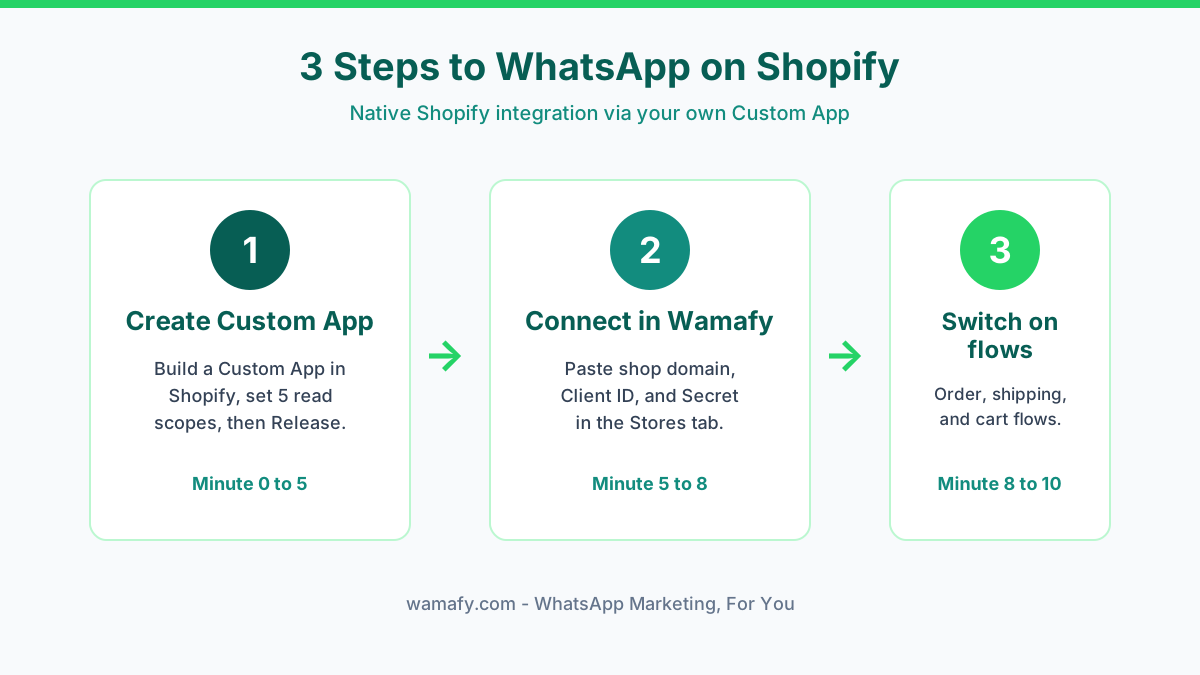
Minute 0 to 5: Create your Shopify Custom App
This first block does the heavy lifting. You will build a small Custom App inside your own Shopify store. This is what lets Wamafy read your order and cart events. Follow these steps in order.
- In your Shopify admin, open Settings. The gear icon sits at the bottom-left.
- Open the Apps page inside Settings. At the top-right you will see two buttons, "Develop apps" and "Shopify App Store". Click Develop apps.
- Click Build apps in Dev Dashboard. This opens the Shopify Partner Dev Dashboard, already scoped to your store.
- In the Dev Dashboard, go to the Apps tab and click Create app at the top-right.
- Choose Start from Dev Dashboard, not the CLI option. Name it something clear like "Wamafy WhatsApp Integration", then click Create.
You now have an empty app. The next steps set its URL, scopes, and redirect, then release the first version.
Set the app URL and webhooks version
On the Create version page, set the App URL to your own store address, for example https://yourshop.myshopify.com. Shopify needs a valid HTTPS URL here, but the integration never uses it. Pointing it at your own store keeps the app self-contained. You can leave "Embed app in Shopify admin" switched on. Set the Webhooks API version to the latest one available. Wamafy supports every active version, so the newest is a safe pick.
Paste the access scopes
In the Access section, paste these exact comma-separated scopes:
read_checkouts,read_orders,read_all_orders,read_customers,read_products
These are five read-only scopes. They cover everything Wamafy needs: abandoned-cart webhooks, order webhooks, lead creation, lookbacks past 60 days, and richer template variables. There are no write scopes, because Wamafy never pushes data back into your store. Leave the optional scopes empty, and leave "Use legacy install flow" unchecked.
Add the redirect URL, then release
This step is required. Without it, Shopify rejects the install with a 403 error. In the Redirect URLs field, paste this exact value:
https://api.wamafy.com/api/v1/shopify/custom-app/callback
Then click Release. A modal asks for a version name. You can type anything, or leave it blank for an auto-generated name, then click Release again. Your Custom App is now live on your store.
Copy the Client ID and Secret
In the app's left sidebar, open Settings. The Credentials card holds your Client ID and Client Secret. Copy the Client ID. Then click the eye icon to reveal the Secret and copy it too. Treat the Secret like a password. Never share it in chats, screenshots, or code repos.
Minute 5 to 8: Connect the store in Wamafy
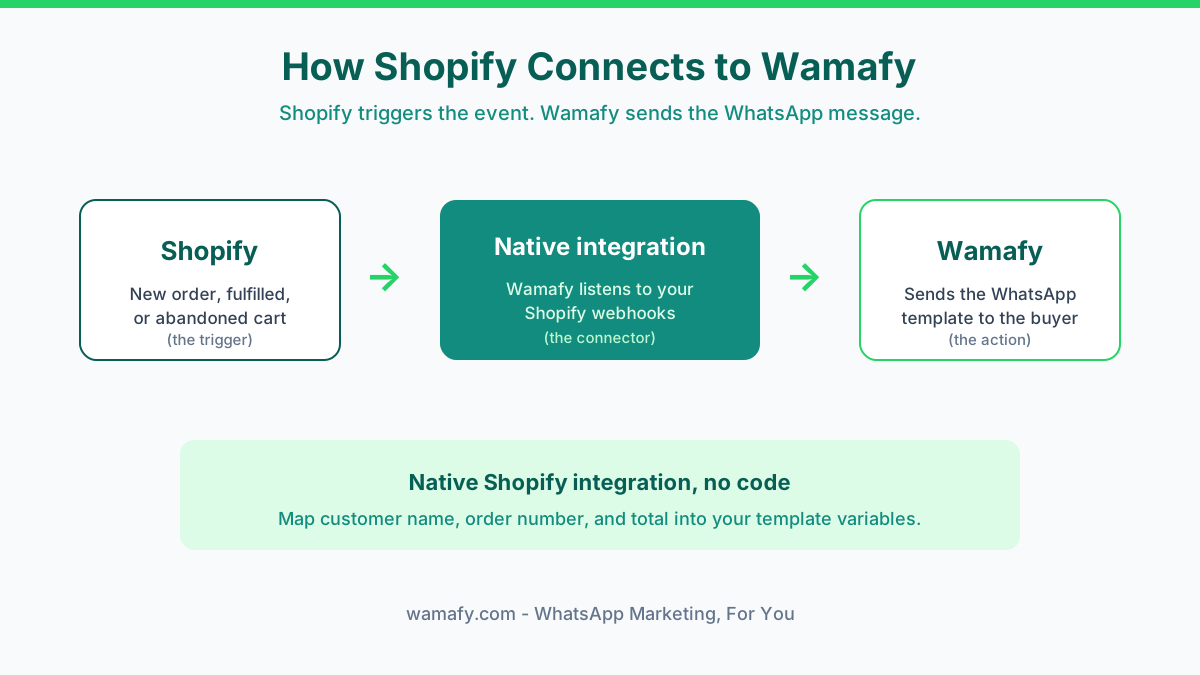
Now link the two systems. This is a one-time setup, not a wiring project. Shopify becomes the trigger. Wamafy reacts to each event for you.
- In your Wamafy dashboard, open the Stores tab and click Connect store.
- Switch the mode toggle to Custom App.
- Paste your shop domain, Client ID, and Secret, then confirm.
- Wamafy redirects you to Shopify once to authorise the app, then sends you back. That is it.
This is the core difference from older setups. You are not pasting keys between three tools or running a separate connector. Your store talks to Wamafy directly through your own app. So there is less to break and nothing to babysit.
What happens the moment you connect
As soon as the store links, Wamafy sets up the plumbing for you. You do not configure any of this by hand. Here is what runs behind the scenes.
- Webhook subscriptions. Wamafy subscribes to checkouts/update, orders/create, and orders/paid. It also subscribes to the mandatory GDPR compliance webhooks: customers/redact, shop/redact, and customers/data_request.
- HMAC verification. Every inbound webhook is HMAC-verified using your own app's Client Secret. Each one is logged in the Integrations Logs tab, so you can audit delivery in real time.
- Encrypted at rest. The access token Wamafy stores is encrypted at rest with AES-256-GCM.
In short, the connection uses read-only access, verifies every message with your secret, and keeps your token encrypted. That is a tighter security posture than most copy-paste connectors offer.
Minute 8 to 10: Switch on your flows and test
With the store connected, turn on the flows you want. Three of them cover most of the value. Each one maps a Shopify event to a WhatsApp template.
| Flow | Shopify event | Template type | India cost |
|---|---|---|---|
| Order confirmation | New order | Utility | ~Rs 0.115, often free in window |
| Fulfillment alert | Order fulfilled | Utility | ~Rs 0.115, often free in window |
| Abandoned cart recovery | Cart abandoned | Marketing | Rs 0.8631 per message |
Order and fulfillment alerts are utility templates, so they stay cheap. Abandoned cart is a marketing template because it is a sales nudge. So it sits at the higher rate. That is worth it. Even one saved cart on a Rs 1,500 order pays for hundreds of these messages.
The abandoned cart cadence with auto-cancel
This is where the native integration earns its keep. For abandoned cart recovery, set up a multi-stage cadence instead of one message. A common pattern is a soft reminder after an hour, a second nudge a few hours later, and a last message with a small offer the next day.
Here is the key edge. Wamafy auto-cancels the rest of the cadence the moment the customer pays. So if your first reminder works and the buyer checks out, the next messages never go out. You stop paying for messages you no longer need. And you never annoy a customer who already bought. Most basic setups keep firing the whole run and look out of touch. Auto-cancel fixes that for you.
Map your approved templates to each flow
Each flow needs a Meta-approved WhatsApp template. In Wamafy, map the right template to each event. Send your order template on new orders, your shipping template on fulfillment, and your recovery template on abandoned carts. Then pull the Shopify fields into your template variables, such as customer name, order number, order total, and tracking link.
For the message copy itself, Wamafy's WhatsApp template message examples give you approved-style scripts you can adapt for each flow.
Collect the cart opt-in on your store
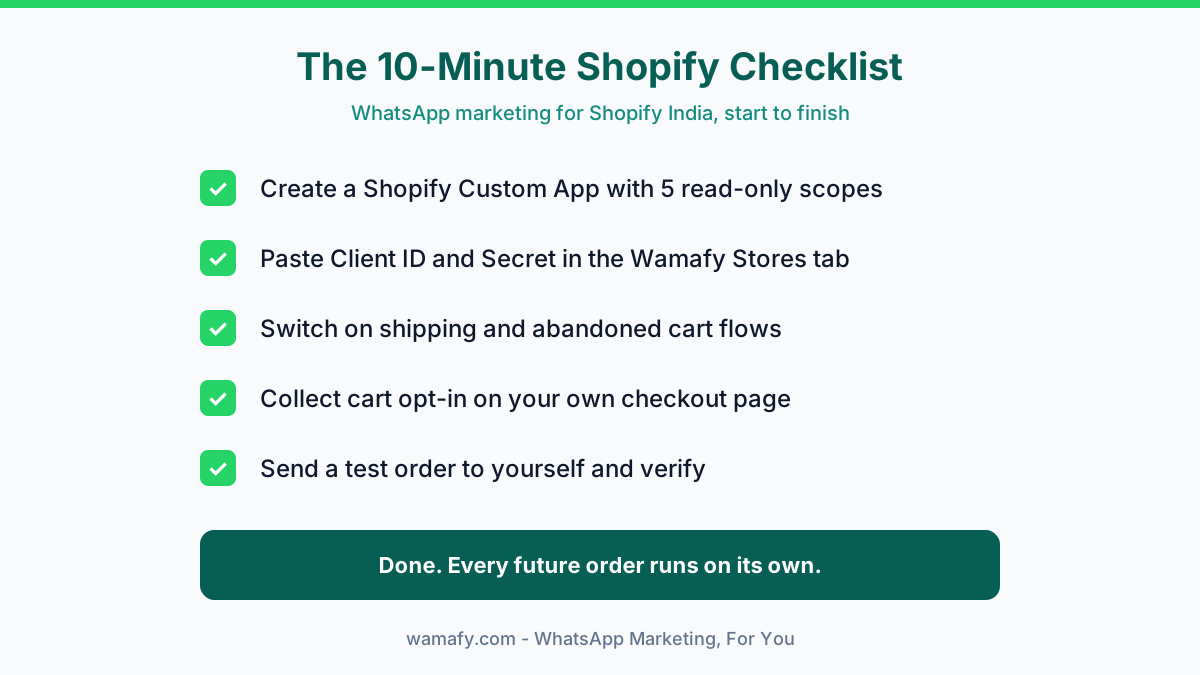
Here is the honest part. To send marketing messages, you need consent. You collect the opt-in yourself. Add a consent checkbox or line to your Shopify checkout, your order page, or a thank-you message. Only message customers who agreed. This keeps you in line with Meta policy and Indian opt-in norms. It also protects your number's quality rating.
Send a test order to yourself
Never trust a flow you have not tested. Place a real test order on your own store using your verified number. Within seconds you should get the order confirmation on WhatsApp. Then mark the order fulfilled in Shopify and watch the shipping alert land.
For abandoned cart, add an item to your cart, enter your details, then leave without paying. Shopify marks it abandoned after a short delay, and your recovery cadence fires. Pay the order partway through to confirm auto-cancel stops the remaining messages. Once everything lands as expected, you are done. Every future order runs the same path with no manual work from you.
What to customise next week
The 10-minute setup gets you live. The next week is where you make it yours. None of this is urgent, so spread it out.
- Template copy. Rewrite each message in your brand voice. Short, warm, and clear beats formal.
- Opt-in incentive. Offer a small first-order discount in exchange for the WhatsApp opt-in to lift consent rates.
- Cadence timing. A single nudge works, but a two or three message sequence over 24 to 48 hours recovers more. Auto-cancel keeps it safe.
- Regional language. A Hindi or regional version of your templates can lift reply rates in non-metro markets.
- Delivery tracking. Watch sent, delivered, and read status in Wamafy, and check the Integrations Logs tab to spot any webhook issues early.
For a deeper dive into the highest-value flow, see Wamafy's playbook on WhatsApp abandoned cart recovery for Shopify in India.
Common mistakes to avoid
A few traps catch new stores. Skip them and your first month runs clean.
- Skipping the redirect URL. Without the exact callback URL in your Custom App, Shopify blocks the install with a 403. Paste it just as shown.
- Sending marketing templates without opt-in. This tanks your quality rating fast. Utility messages like order updates are fine, but promotions need consent.
- Using a marketing template for an order confirmation. The wrong category means rejection and a higher cost. Order updates are utility templates.
- Skipping the test order. A broken variable map sends "Hi {name}" to real customers. Always test first.
Frequently Asked Questions
Do I need to publish the app on the Shopify App Store?
No. This is a Custom App scoped to your own store, not a public listing. It bypasses the Shopify App Store, so there is no review and no approval wait. The app stays private to your store and uses read-only access.
Is my data safe with the Custom App connection?
Yes. Every inbound webhook is HMAC-verified using your own app's Client Secret, and each one is logged in the Integrations Logs tab. The access token Wamafy stores is encrypted at rest with AES-256-GCM. The five scopes are read-only, so Wamafy never writes to your store.
What is the auto-cancel feature?
Auto-cancel stops the rest of your abandoned cart cadence the moment the customer pays. If an early reminder works, the later messages never send. You save on message costs and avoid nudging someone who already bought.
Can I use this for Razorpay or CCAvenue checkout stores?
Yes, as long as the order data flows through Shopify. The payment gateway does not matter to the WhatsApp side. The Shopify event sends the message, so Razorpay, CCAvenue, or any gateway works the same way.
How much does WhatsApp marketing for a Shopify India store cost?
You pay Meta's per-message rates plus your Wamafy plan. In India, utility templates run about Rs 0.115 and marketing templates Rs 0.8631 per message. Wamafy adds no extra markup, so your bill stays easy to predict.
Can I trigger sends from my own code instead?
Yes. For custom or headless stacks, Wamafy's REST API lets you fire the same sends from your own backend. Most stores use the native Custom App integration, which needs no code at all.
Get your Shopify store on WhatsApp today
Ten minutes from now, your Shopify orders can be confirming themselves on WhatsApp, your shipments can update buyers automatically, and your lost carts can start recovering on their own. With Wamafy's native Shopify integration, it is just a Custom App, a one-time store connection, and a test order.
Start a 14-day free Wamafy trial. Card authorized during trial activation, charged only on day 15.